When you’re managing a brand or business on Twitter, it’s vital to know how your tweets are performing. Twitter analytics is a robust tool to understand your audience, how they respond to your content, and your level of engagement. Whether you’re a social media manager, marketing professional, or small business owner, understanding how to monitor and analyze your get can enhance your strategy and generate the biggest results.
This guide is going to show you how to find, read, and use your Twitter analytics to the max extent. By the end, you’ll know how to turn raw numbers into useful information and improve your Twitter fortunes.
Why Twitter Analytics Matters
Tracking your Twitter analytics allows you to:
- Understand Your Audience: Learn what content resonates with your followers.
- Measure Performance: See how updates and campaigns are performing with concrete metrics.
- Fine-tune Strategy: Use the data to determine what’s working and what isn’t, leading to a smarter approach with higher engagement.
Now that we’ve touched on the “why,” it’s time to explore the “how.”
How to Access Twitter Analytics
Twitter provides a built-in analytics dashboard that’s free and easy to use. Follow these steps to get started:
1. Log in to your Twitter Account
Ensure that you’re logged in to the account whose analytics you want to review.
2. Navigate to Analytics
- On your desktop, click More in the navigation menu on the left-hand side.
- Select Analytics from the dropdown menu. If it’s your first time accessing it, you might need to enable this feature. Simply click Get Started.
3. Bookmark the Analytics Dashboard
You can also access the dashboard directly by visiting analytics.twitter.com. Bookmark this URL to save time for future visits.
That’s it! You’ll now have access to detailed metrics about your account’s performance.
Understanding Key Twitter Metrics
Once inside your analytics, you’ll be presented with a range of data points. Here’s a breakdown of some of the most important metrics to understand:
1. Impressions
- Definition: Total number of times your tweets appeared on someone’s timeline or search results.
- Why It Matters: High impressions mean your content is being seen, which is the first step toward engagement.
2. Engagement Rate
- Definition: The total number of engagements (likes, retweets, replies, etc.) divided by the total impressions.
- Why It Matters: A healthy engagement rate indicates that your content resonates with your audience. Aim for a rate of 1–3%, although this may vary by industry.
3. Profile Visits
- Definition: The number of times users visited your account profile after engaging with your tweets.
- Why It Matters: A spike in profile visits typically reflects high viewer interest and can lead to more followers.
4. Follower Growth
- Definition: The number of followers you’ve gained or lost during a specific period.
- Why It Matters: Followers represent your core audience; growing this metric means you’re expanding your reach.
5. Top Performing Tweets
- Definition: Tweets with the highest engagement during a set period.
- Why It Matters: These tweets provide clues about what content works best for your audience.
6. Video Views (If Applicable)
- Definition: Tracks the number of views on any videos you’ve shared.
- Why It Matters: Video is a powerful way to engage users; monitoring video views can show what visual content grabs attention.
Understanding these metrics gives you the big-picture view of how your account is performing. But data is only as good as how you use it.
Analyzing the Data

Once you’ve reviewed your metrics, the next step is to interpret the numbers. Here are some practical tips to analyze your Twitter data effectively:
Spot Patterns and Trends
- Look for recurring themes in your top-performing tweets. For example, do posts with visuals get more engagement? Are questions or polls popular among your audience?
- Track engagement metrics weekly and monthly to uncover trends over time.
Compare to Industry Benchmarks
Every industry has its own average engagement rates and follower growth expectations. Research benchmarks for your niche to see how your metrics compare.
Keep an Eye on Timing
Use the analytics to identify when your audience is most active. Post during these peak times to maximize visibility and engagement.
Use Custom Date Ranges
The analytics dashboard lets you analyze a custom date range. This is particularly useful for tracking the success of specific campaigns or product launches.
By adopting these practices, you’ll feel more confident making sense of your Twitter data.
Applying Insights to Improve Your Twitter Strategy

You’ve done the analysis; now it’s time to act on it. Here’s how to use Twitter analytics to refine and improve your strategy:
1. Optimize Content Types
If certain types of content perform better (e.g., tweets with images or videos), prioritize creating more of these.
2. Engage with High-Performing Tweets
Capitalize on popular tweets by responding to replies, retweeting user content, or using them as templates for future posts.
3. Focus on Timing
Post consistently during periods of high engagement to ensure maximum reach.
4. Experiment and Iterate
Your audience’s preferences may shift over time. Test different formats, tones, and hashtags, and use your analytics to guide adjustments.
5. Segment Your Topics
If your analytics consistently show engagement peaks around specific topics or hashtags, lean into those conversations to establish authority in that area.
6. Target Ads Effectively
Analytics data can also help guide your ad targeting efforts. Use demographic data from your analytics report to create tailored ad campaigns.
The key is to view analytics as an ongoing helper—not a one-time task. Regularly revisiting your metrics will keep your strategy innovative and audience-focused.
Regularly Monitoring Analytics = A More Effective Strategy
You can’t simply visit Twitter analytics once and leave it at that. It’s a real powerhouse if you want to do well on the platform. Analyzing your metrics on a regular basis can also help you get to know your audience, create content that is appealing to your audience, and give you a competitive advantage.
If you are searching for the most effective way to make the most of the Twitter experience when it comes to branding, you should begin logging into the analytics dashboard on at least a weekly basis.” The knowledge that you’ll gain will help you to stand out and take action toward social media results.
Turning Raw Metrics into Actionable Insights
Collecting numbers from your dashboard is only the first step; transforming them into meaningful insights is what truly strengthens your strategy. Start by grouping similar metrics together, such as engagement-related data and reach-related data, to see how they interact. Many marketers export reports and apply Data Analysis in Excel to calculate growth rates, percentage changes, and trend lines over time. This deeper evaluation helps identify which campaigns truly drive performance rather than relying on surface-level impressions. By reviewing patterns consistently, you can make informed decisions about content formats, posting schedules, and messaging tone. The goal is to move beyond observation and develop a structured approach that turns performance data into practical improvements.
Identifying High-Impact Content Themes
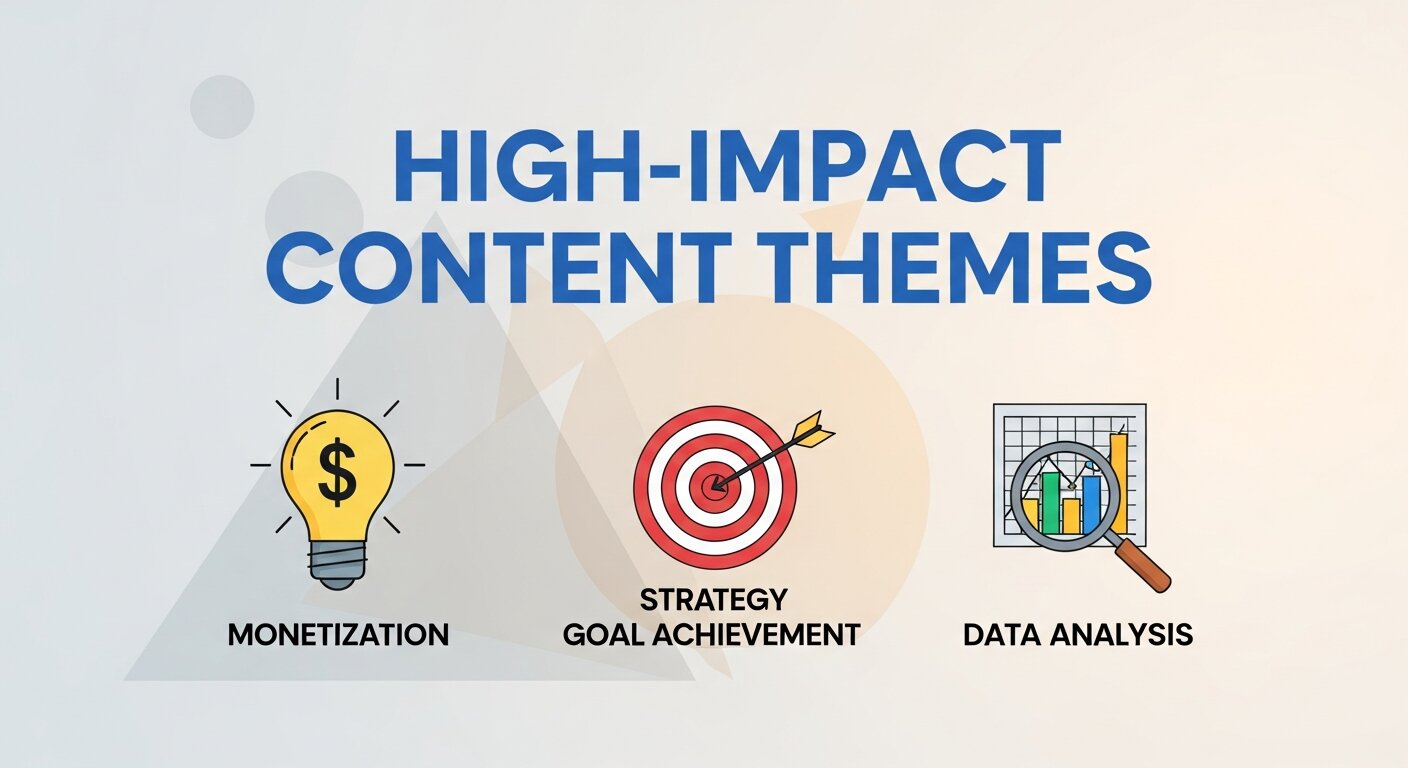
Understanding which topics resonate most with your audience can dramatically improve engagement. Review your top-performing tweets and categorize them by theme, tone, or format. You may discover that educational threads outperform promotional posts, or that short opinion-based tweets spark more conversation. Applying basic Data Analysis Techniques such as comparison analysis and performance segmentation allows you to measure which themes consistently deliver results. Once identified, double down on those high-impact areas while gradually refining underperforming content. This structured experimentation ensures that your strategy evolves with audience preferences. Instead of guessing what works, you’ll rely on measurable trends that support sustainable audience growth and stronger brand positioning.
Leveraging Audience Demographics for Growth
Your analytics dashboard offers valuable demographic information, including interests, locations, and behavior patterns. This data allows you to tailor your messaging more precisely to your ideal audience. For example, if your followers are concentrated in a specific region, you can adjust posting times to align with their activity hours. Incorporating principles from Data Marketing Analytics helps you understand not just who your audience is, but how they interact with different content types. With these insights, you can refine tone, language, and campaign focus to better match audience expectations. Over time, this personalized approach increases loyalty, engagement consistency, and long-term brand credibility.
Improving Campaign Performance with Comparative Analysis
Comparing different campaigns side by side provides clarity on what truly drives engagement. Analyze impressions, engagement rates, and follower changes for each campaign period to determine success factors. Look beyond vanity metrics and focus on meaningful interactions such as replies and link clicks. By reviewing historical data regularly, you can establish internal benchmarks that reflect your brand’s unique performance standards. This comparison-based approach ensures that every new campaign builds on lessons learned from previous efforts. Rather than repeating ineffective strategies, you’ll continuously refine your tactics based on evidence, leading to smarter planning and stronger overall results.
Optimizing Posting Frequency and Timing
Consistency plays a crucial role in maximizing visibility on Twitter. Reviewing your analytics can reveal patterns in user activity and engagement timing. Identify which days and hours generate the highest interaction, then schedule your posts accordingly. Avoid overposting, as excessive content can reduce engagement rates and overwhelm your audience. Instead, aim for a balanced schedule that prioritizes quality over quantity. Monitoring performance across different time slots allows you to refine your posting calendar gradually. By aligning your publishing schedule with audience behavior, you enhance reach potential and create a more predictable engagement pattern over time.
Strengthening Engagement Through Content Experiments
Experimentation is essential for long-term growth. Test different content formats such as threads, polls, short videos, and infographics to see which sparks the most interaction. Keep track of performance variations and document what changes influence engagement positively. Small adjustments in wording, call-to-action placement, or visual design can significantly impact results. Over time, consistent testing builds a clearer understanding of audience preferences. Rather than relying on assumptions, your strategy becomes data-driven and adaptable. Continuous experimentation ensures that your Twitter presence remains dynamic, relevant, and competitive in an ever-evolving social media environment.
Building a Long-Term Data-Driven Strategy

A successful Twitter strategy is not built overnight; it requires ongoing analysis and adjustment. Create a routine for reviewing weekly and monthly performance reports to track progress toward your goals. Establish measurable objectives such as increasing engagement rate or achieving steady follower growth. Document insights and apply them to future campaigns to maintain improvement. A long-term data-driven mindset ensures that every piece of content contributes to broader business objectives. By committing to regular analysis and thoughtful refinement, you transform Twitter from a simple posting platform into a strategic channel for brand authority, audience connection, and measurable marketing success.
Frequently Asked Questions (FAQs)
1. What is Twitter analytics?
Twitter analytics is a built-in dashboard that provides data about your account’s performance, including impressions, engagement rate, follower growth, and top-performing tweets. It helps you measure how your content is performing and understand audience behavior.
2. Is Twitter analytics free to use?
Yes, Twitter analytics is free for all users with an active account. You simply need to log in and access the analytics dashboard to start viewing your performance data.
3. How often should I check my Twitter analytics?
It’s recommended to review your analytics at least once a week. Regular monitoring helps you identify trends, adjust your strategy quickly, and stay consistent with what works best for your audience.
4. What is a good engagement rate on Twitter?
A typical engagement rate ranges between 1% and 3%, but this can vary depending on your industry and audience size. Comparing your performance over time is often more valuable than focusing only on benchmarks.
5. Why are impressions high but engagement low?
High impressions with low engagement usually indicate that your content is being seen but not compelling enough to prompt interaction. Improving visuals, adding clear calls-to-action, or asking questions can help increase engagement.
6. Can Twitter analytics help with ad targeting?
Yes, analytics data provides insights into audience interests and demographics, which can help you create more targeted and effective advertising campaigns.
7. What are the most important metrics to track?
Key metrics include impressions, engagement rate, profile visits, follower growth, and top-performing tweets. These indicators give you a clear overview of visibility, interaction, and audience expansion.
8. Can I track specific campaigns using Twitter analytics?
Yes, you can use custom date ranges in the dashboard to evaluate the performance of specific campaigns, product launches, or promotional periods.
9. Why is follower growth important?
Follower growth reflects the expansion of your audience. A steady increase indicates that your content strategy is attracting and retaining users.
10. What should I do if my Twitter performance declines?
If performance drops, review your recent content, posting times, and engagement patterns. Experiment with different formats, topics, and posting schedules, then monitor analytics to see what improves results.